

Wayneo
-
Posts
2,837 -
Joined
-
Days Won
521
Content Type
Profiles
Forums
Downloads
Everything posted by Wayneo
-
FYI, We can't see labels or filenames. And this answer should have been 'no'. The 'live ' ohms need to rise above cold. So my question is do you have any other rba's you can try? And what rba was that? Or, can you remove the boro, reboot device, put the boro back in, monitor some of your puffs and ONLY looking at live and cold ohms, do you ever see live > cold. If Yes, try to enable replay at that point.
-
You're blazing the trail ! It makes sense so that as you change backround patterns/colours you can just leave your icons intact and choose a complimentary colour.
-
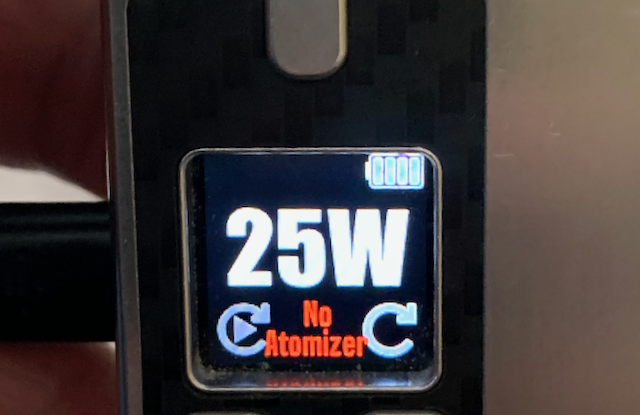
Earlier, quickly, I used the replay icon and the fill and used them to overwrite my settings icon. Bottom right. I haven't created my own, but it worked for me.
-
For the second time. Everything you can move or change is on that 'Display' tab. There is no dedicated 'theme designer'. You can change the texts, their placement, colors, backgrounds, warnings, logos, fonts. Maybe in the future they'll enhance the chip, but with a 'Replay' only board, even I don't see anything lacking/missing. If you don't like the feature set, as a long time user, you know you can open a Help Desk ticket with your suggestions.
-
Can you not open the theme in the escribe 'display' tab with your mod plugged in? Everything you can move or change is on that 'Display' tab To answer your question direbtly, there is no feature lock in any theme for any board. If you give more details like type of system, someone might test it and reply.
-
Boro devices can be so finicky between devices and some boro/rba combinations just do not work well together, It could be flushnut, integrated drip tip, your coil having some little skarf that touches, length of rba, connection to the positive, etc. Having only 1 rba limits any sort of testing. You could search around other forums for known problems but it's way too early to consider this a board issue. Unfortunately, neither of us own that device or rba. Or, you can open an official 'Help Desk' ticket. Link below in my signature line.
-
Do you have any other rba's you can try? Or, check your coil connections. I don't believe it's firmware. Because your mod does not believe it's SS, so it's blasting you at the 60 watts you set. If I look back at your atomizer analyzer, your .27 ohm coil was reading like .37. How much does that value fluctuate say, over a minute when running atomizer analyzer?
-
Locking ohms should not help, and the crazy hot hits are because of how YOU set the parameters. When you checked on the 100, did you check with the rba all put together, but not in the boro? Turn down the power to 30 watts, start device monitor (click/enable cold ohms and live ohms) and take a puff. Post a printscreen of that here. I believe it'll be the same as you have already described except no crazy hot hits.
-

New Vape. Ideas for getting the most out of it?
Wayneo replied to colossalclouds's topic in DNA 250 Color
That's a helluva jump from a Vuse to a Hadron Pro! Buy some high mass inefficient coils like 2x24/32 fused claptons that will heat up very quickly with all that power on tap (especially with boost:punch), and cool down slowly carmelizing on your coils and cotton. There are some RTA's and RDA's for sure capable of high watt vaping, but they're not my style, so I can't offer any recommendations. Many customizations available with escribe Theme Designer or ready made themes available here. Colours yes, wallpapers, what's shown on each screen, yes, but no animations or games or points. The search bar works, so you could just search Pokemon as an example.- 1 reply
-
- 1
-

-
I'd at least move it 0.004 like Evolv sets as the starting point for all other boards. Changing or not changing it won't hurt anything. Random number 30 watts should feel closer moving an atty from the 100 to the 60.
- 1 reply
-
- 1
-

-
Simple answer, you'll need to find a theme you like with it shown on the main screen or put it there yourself. Here’s a great video tutorial on the board and Theme Designer. The video lingo, or escribe (hover over fields) will get you familiar with DNA words. There are many on YT. DJLSB vapes - Evolv DNA 75 C Full Review with eScribe and Theme Editor Tutorial - https://youtu.be/1dvBpTm-FQM And here’s the datasheet for the 75C with more (no datasheet for the 100C) explanations. https://downloads.evolvapor.com/dna75color.pdf
-
I do not understand what you are asking for, but here is the datasheet for the DNA60. There are pinouts shown on a page. https://downloads.evolvapor.com/dna60.pdf Failing that, you might want to contact the 'Help Desk', link below in my signature line.
-
Sharp! But show MORE colors. What am I looking at ............ 1SBS, 1 boro, 1 regular mod 18650 or 21700?
-
Those look really sharp @Ginger
-
Overheating of the Board "Chip too hot"
Wayneo replied to cloudzey's topic in DNA 75 Color and 100 Color
I have no more detail for what I've already written, sorry. -
Overheating of the Board "Chip too hot"
Wayneo replied to cloudzey's topic in DNA 75 Color and 100 Color
Thanks, i was just looking at the mod setup parameters and they appear all stock/standard so that's not THE issue. -
Overheating of the Board "Chip too hot"
Wayneo replied to cloudzey's topic in DNA 75 Color and 100 Color
Can you start escribe, go under 'file', do a 'save' of your mod setup, and post the .ecig file here, please. If you're also a nicotine vaper, you could use this mod and see if the problem still occurs. Did you buy this mod new, and has this always happened? -
Overheating of the Board "Chip too hot"
Wayneo replied to cloudzey's topic in DNA 75 Color and 100 Color
That's right, the 100C only has 1 inductor, and it's supposed to get hot. There is a thermistor near that inductor that senses the board temperature -
Overheating of the Board "Chip too hot"
Wayneo replied to cloudzey's topic in DNA 75 Color and 100 Color
I have never used a mod in this fashion. There is a board temperature sensor so that must be the reason for the warning. Other than that I have no idea if it's a board problem -
One battery sometimes sags way more than the other
Wayneo replied to Mikhail K's topic in DNA 250 Color
Is it always the same cell # that sags more? Like, even if you swap the actual batteries, the sag does NOT move with the battery? If those are a yes. I'd be looking at the JST connector or anything to do with that particular cell connection. -
problems with dovpo riva DNA 250c. help someone
Wayneo replied to DRiva91's topic in DNA 200 and 250
Well, under 'Help' you'll find Backups, so you could choose the one from a week before this started happening and it will have the mod back to that date and settings. Me, I'd just adjust it back manually and not worry about 'before' or those settings. You could have been puffing differently time wise, coil changes from gunk, etc. Too many variables to match the watts. -
Smart Profile Selection feature request
Wayneo replied to Ashish's topic in EScribe, Software and Firmware
I'm not an Evolv employee, but you can open an official 'Help Desk' ticket with your request. Link in my signature line. -
problems with dovpo riva DNA 250c. help someone
Wayneo replied to DRiva91's topic in DNA 200 and 250
Start escribe and do a screenprint of that profile 3 (or whichever profile you're using) -
problems with dovpo riva DNA 250c. help someone
Wayneo replied to DRiva91's topic in DNA 200 and 250
Profile 3 is the evolv default profile for watt boost. That profile has boost enabled. You choose the watts you want and the boost:Punch. That 'punch' value will determine how many extra watts you'll get at the very start of a puff. Yes, we know it shows going to 22, that is a bug. Yes, 11 is the max, no matter if you set it higher. -
Smart Profile Selection feature request
Wayneo replied to Ashish's topic in EScribe, Software and Firmware
It's not there at all and after 9 years and numerous firmware updates I doubt you will ever see it. You call it a feature, I'd call it hazardous. Heaven forbid the day the mod incorrectly mixes up Titanium and Stainless Steel based on resistance.