

Wayneo
-
Posts
2,820 -
Joined
-
Days Won
517
Recent Profile Visitors
21,348 profile views


Wayneo's Achievements

Senior Member (3/3)
1.3k
Reputation
-
-
Sounds like juice has entered down by the usb connection and compromised them. You could rip your mod apart, use isoprpyl alcohol and wipe everything down and look for any corrosion. Then check those voltages afterwards.
-

Possible bug or board problem and firmware
Wayneo replied to Vapors Tongue's topic in EScribe, Software and Firmware
Read this post -
That's not what I said at all. When your mod is all apart and you are installing a new screen, BE CAREFUL.
-
The screens are delicate. Try not to handle that area between the screen itself and the visible ribbon cable. If you need to make a bend that's best near where the connector attaches to the board.
-
2 more things and thanks for the clarification. Have you ever successfully connected to escribe in the past? In your Help Desk ticket you can post a link back to this post if you didn't post these images. First time I'm seeing these cascading errors.
-
Are your images in the order that these errors occured? At any point did you click that link by the lightbulb 💡? Other than trying again, you might need to open a 'Help Desk' ticket. Link in my signature line.
-
If I remember correctly for material files, on the left window you'll see all available (from all your mods) and the right window is what's on an individual mod. *You can't delete a material file from a mod if it'a assigned to a profile* So they'll work the same on all mods. If you use multiple vendors or never changed yours, you might as well live with the evolv default. Otherwise it's under 'Mod' battery.
-
That's right. You can save profiles from one and move to the other individually. Same for a battery curve and material profiles.
-
These colour screens are very delicate and more care is required when installing them, right down to the routing when attached to the board. They are tested before being boxed but a ham handed installation will show up down the road. Also, not a warrantable item but you could open a ticket at Stealthvape and ask if they'd replace the screens for you.
-
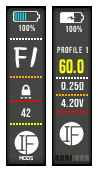 Thank you.
 -
If you just prettied up exro's theme then this will have the same logic error as his that needs to be fixed. Read this post -> https://bit.ly/4xKXVw0
-
Evolv/James has added a 'loop checker' in escribe SP77 that checks the theme installed on a mod when one does 'upload settings to mod'. This stops the upload, describes the error and causes the user to have to install a 'clean' theme before continuing. James' words 'That error is because I added a loop checker, which detects if a screen jumps to another screen that jumps back to the previous screen, all using "Go To Child Screen", which can run out the screen stack.' Because of this, and how the user interacts with the theme, it can cause 'menu error' or that other oddity 'press left' due to a stack overflow. Read the 'error' carefully and follow the instructions to fix it. You have 2 choices. Either test your own theme now by simply using SP76 and trying to install then upload to your mod or if a user gets the error, we will hide your theme until it is fixed and tested by you. Of course we will send you an email when we hide your theme.
-
EScribe won't recognize two devices (dna 25 and 250c)
Wayneo replied to indvstrial's topic in EScribe, Software and Firmware
What DNA250C do you own, and can you post a photo of the main screen showing watts set at 20 or 30 watts. -
@mse The fields are in Theme Designer for stealth mode. Mind you, I haven't tried them to see if they work. I never had a Reflex, so no idea what you're talking about. The hardware required for that has not been built into these devices.