

-
Posts
4 -
Joined
-
Last visited
Tripp_ORG's Achievements

New Member (1/3)
0
Reputation
-
Okay thanks. I understand that "Puff Saved, Playing" doesn't really do anything but rather just shows that a previous puff has been saved... I'm just not sure why eScribe even cares to have the check box for it then lol... This is what I used: https://downloads.evolvapor.com/escribe/guide/story_html5.html Can you link me to a good video on YT as I have searched and only see older non-color versions or videos not in English...
-
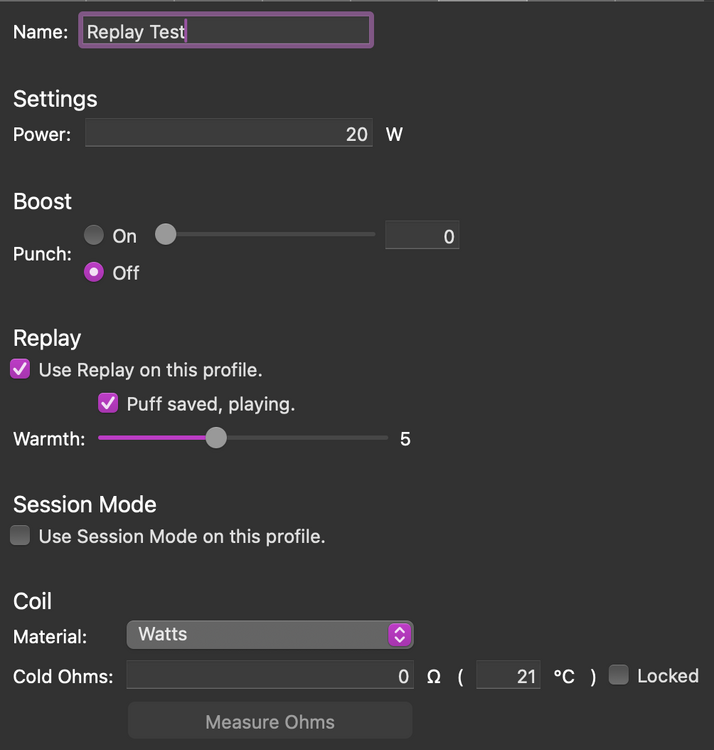
Okay, I am having a few problems. Not sure if that image above loaded properly or not. #1. My Replay mode won't work, or I don't know how to use it. Attached is a picture of my current settings. With "puff saved, playing" unchecked, if I do a 3s fire, I see "Save Puff" pop up. If I select it, it says "Cancel". From here, I don't want to cancel. but I want to fire a replay. So I click fire, and it does NOT fire for 3s. Does replay just limit the wattage or what? I thought it replayed the entire previous fire: wattage and duration. #2 I repeat the same as above, except I check the box for "puff saved, playing" (uploaded it to the mod, of course), and nothing else changes. No display screen difference, no replay function difference. #3 I am also unable to lock the mod. It's a brand new Hyperion, which I just found out is prone to having the fire button break, so I changed the unlock to be 2 clicks of "S". This works perfectly, but 3 clicks of S does not lock the mod back. IDK, maybe I just have a faulty chip or I don't understand how to use this software... I watched and completed the tutorial training, but that is outdated and geared more towards the 250c anyways... Thanks again


-
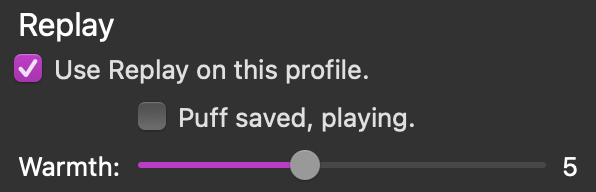
Thanks for the quick reply, but I am still confused... I have replay turned on, but what changes to the settings, to the mod, to the puff, etc., if I select this other check box?
-
What does the"Puff Saved, Playing" button do in eScribe? Thanks!


